Tips for Creating a Productive and Comfortable Home Office Space
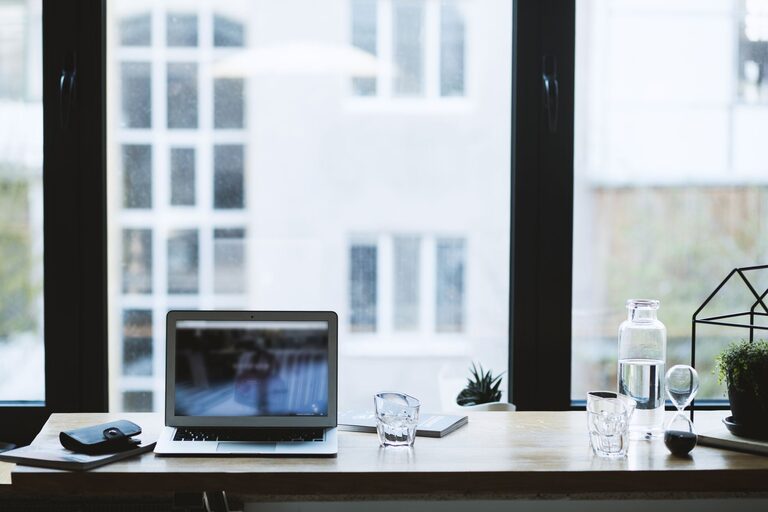
Creating a home office that is both productive and comfortable can make a significant difference in your work-from-home experience. Whether you’re a full-time remote worker, a freelancer, or someone who occasionally works from home, having the right space can help you stay focused, reduce stress, and maintain a healthy work-life balance. Here are some practical tips to help you set up a home office that works for you.
Choose the Right Location
Find a Quiet Spot
Select a space in your home where noise and distractions are minimal. This might be a spare room, a corner in your bedroom, or even a section of the living room. The important thing is to have a consistent place to work that signals “work time” and helps you focus.
Consider Natural Light
Position your desk near a window if possible. Natural light can improve your mood and reduce eye strain. However, avoid placing your screen where glare might interfere with your work.
Invest in Ergonomic Furniture
Comfortable Chair
A supportive chair is key to preventing back pain and discomfort, especially if you spend long hours sitting. Look for adjustable chairs with good lumbar support.
Proper Desk Height
Your desk should be high enough to allow your elbows to rest comfortably at about a 90-degree angle when typing. If your desk is too high or too low, consider a keyboard tray or adjustable desk.
Monitor Positioning
Place your monitor so the top of the screen is at or just below eye level. This helps prevent neck strain. The screen should be about an arm’s length away from you.
Organize Your Workspace Effectively
Declutter Regularly
Keep only the essentials on your desk to reduce distractions. Use cable organizers to keep cords tidy.
Storage Solutions
Incorporate shelves, drawers, or filing cabinets to store papers and office supplies. Being organized makes it easier to find what you need and keeps your workspace neat.
Use Desk Accessories Wisely
Items like pen holders, document trays, and desk lamps help keep your area organized while improving functionality.
Optimize Your Lighting
Layered Lighting
Combine natural light with overhead lighting and task lighting. A desk lamp with adjustable brightness can help you avoid eye strain in darker hours.
Avoid Harsh Lighting
Use light sources with a warm color temperature to create a comfortable atmosphere. Avoid overhead fluorescent lights if possible.
Minimize Distractions
Set Boundaries
If you live with others, communicate your work hours and ask for quiet during those times.
Noise Control
Use noise-cancelling headphones or play background music or white noise if it helps you concentrate.
Personalize Your Space
Add Plants
Indoor plants can improve air quality and create a calming environment.
Display Inspiring Items
Photos, artwork, or motivational quotes can boost your mood and keep you energized throughout the day.
Choose Comfortable Colors
Soft, neutral colors promote calmness, but feel free to add pops of color that stimulate creativity.
Maintain Good Air Quality and Temperature
Ventilation
Make sure your workspace is well-ventilated to keep the air fresh.
Temperature Control
Keep the room at a comfortable temperature — not too hot or cold — to maintain focus.
Establish a Routine
Define Your Work Hours
Set start and finish times to separate work from personal life.
Take Breaks
Frequent short breaks boost productivity and reduce fatigue. Stand up, stretch, or take a short walk.
Use Technology Wisely
Reliable Internet
A strong internet connection is essential for remote work.
Essential Tools
Equip your space with necessary devices like a printer, headset, webcam, or extra monitors, depending on your needs.
Backup Solutions
Regularly save and back up your work to avoid data loss.
Keep Your Workspace Clean
Daily Tidying
Spend a few minutes at the end of each day tidying your desk.
Regular Deep Cleaning
Clean your keyboard, mouse, monitor, and desk regularly to maintain hygiene and prevent dust buildup.
—
Creating a productive and comfortable home office is about balancing functionality with your personal preferences. By paying attention to your environment and habits, you can make working from home a more enjoyable and efficient experience. Start with these tips, and adjust your space as you learn what works best for you.